
Messages: SMS Text Messenger
text messagesCommunication
4.01.08K Reviews
- Version
- 7.0
- Installs
- 1.00M
- Age Rating
- Everyone
Screenshots
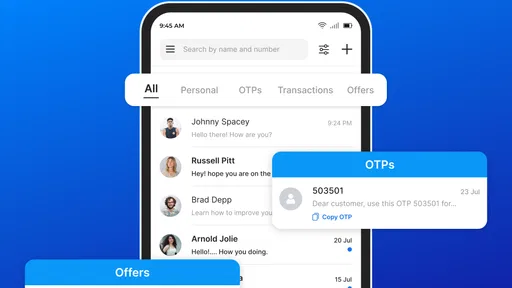
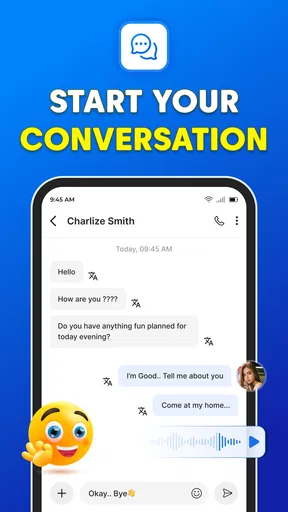
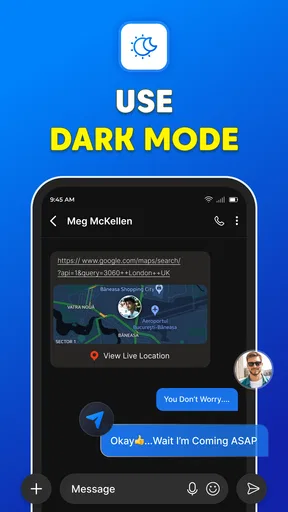
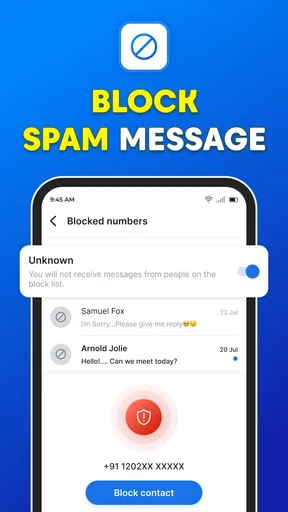
Our Review of Messages: SMS Text Messenger
 Analysis by Appyee
Messages: SMS Text Messenger is the kind of communication app I would consider when I want a cleaner, more focused place for ordinary texting. It is a free Android app in the communication category, developed by text messages, and its purpose is straightforward: handling text messages while also presenting itself as a private SMS messenger with instant messaging. After spending time with it, I found that its appeal is less about replacing every communication service and more about making everyday conversations easier to manage on a compatible phone.
That distinction matters in a household. A messaging app can look simple when one person uses it alone, but shared devices, family coordination, and different levels of technical confidence quickly expose the details that matter. Who is using the phone? Which conversations belong to which person? Is the device a personal handset or something several people check? Messages can be useful in those situations, but it should be treated as a messaging tool rather than a complete household-management system.
The app is free and rated for Everyone, which makes it approachable for a broad audience. It has an average rating of 4.0 from around 9,600 ratings, with more than a thousand written reviews, and it has passed the million-install mark. Those figures suggest that it has found a substantial audience, although they do not remove the need to check whether its style suits your phone and your communication habits.
How Messages Works in a Shared Household
I’d use a shared household phone for simple, visible coordination: a delivery update, a change of plans, or a quick note about who is picking someone up. Before relying on it, I’d agree that anyone holding the phone checks the recipient and identifies themselves in the message, so a useful shared inbox doesn’t become a source of crossed wires.
A practical role for a common phone
I can imagine using Messages on a household phone kept in a kitchen, hallway, or home office. One person might receive a delivery update, another might need to answer a school-related text, and someone else could be waiting for a short message about transport. In that setting, a dedicated SMS app is valuable because it keeps the basic action visible: open the conversation, read the latest message, and reply without navigating through a large social platform.
The important limitation is that the app does not magically separate people who share one device. The phone number, message history, notifications, and contact context still belong to the device and its mobile setup. If several people use the same handset, I would establish a simple rule before relying on it: say who is using the phone, avoid sending from another person’s conversation, and check the recipient carefully before replying.
That may sound obvious, but it is the main practical issue with shared-device messaging. A tidy interface can make texting feel safer than it really is if everyone assumes that the app knows which household member is holding the phone. It does not replace separate user accounts, separate phone numbers, or a family communication agreement.
Where it fits beside other messaging choices
Compared with the default messaging application that comes with a phone, Messages may feel attractive to someone who wants a dedicated alternative for SMS and quick conversations. The benefit is mainly a focused experience rather than a broad social environment. I would choose it for direct texting, appointment reminders, short updates, and practical coordination where the message itself is more important than stickers, public profiles, or a large network of online contacts.
It is a different proposition from internet-first services such as group chat platforms. Those services are usually better when a household needs rich media, persistent group spaces, multiple devices, or a conversation that everyone can join from separate accounts. Messages makes more sense when ordinary text messaging is central and the people involved already communicate through phone numbers.
There is also a trade-off with using the phone’s built-in app. The built-in option may be more deeply tied to the handset and its contacts, while an alternative messenger can provide a different layout and workflow. I would not switch merely because the icon or name looks appealing. I would switch if the conversation view, reply flow, and general handling of messages feel more comfortable during real daily use.
Setting expectations before installation
The app was released on May 26, 2023, and the current version is 7.0. It supports Android 7.0 and later, so compatibility is reasonably broad for older Android phones. Before installing it on a shared or spare device, I would first confirm which Android account, phone number, and contact list are active there. The app can only be as orderly as the device environment around it.
For a personal phone, setup should be uncomplicated: install the app, make it the preferred place for handling text messages if Android asks, and then send a test message to a trusted contact. I recommend doing that test before moving important conversations into a new routine. It gives you a chance to check whether incoming texts appear as expected, whether replies are being sent from the intended number, and whether the conversation layout is comfortable to read.
On a shared phone, I would take a slower approach. First, decide whether the handset is truly shared or simply borrowed occasionally. If it is shared, write down a basic boundary for use: one person handles messages at a time, private conversations are not opened casually, and no one changes the messaging setup without telling the others. These are household rules, not app features, but they make a bigger difference than changing the wallpaper or rearranging shortcuts.
Keeping account boundaries clear
Messages is best understood as attached to the phone’s messaging identity, not as a multi-person household workspace. That means I would avoid treating one shared installation as though it offered separate inboxes for parents, children, guests, or roommates. If privacy between users is essential, separate devices or separate phone numbers are a better solution.
This is especially important when a child occasionally borrows an adult’s phone. The child may be able to see incoming conversations or accidentally answer one, while an adult may later open a thread expecting to find only their own recent activity. The app can support communication, but it should not be used as a substitute for Android user separation, device locks, or a clear borrowing routine.
A useful habit is to pin the phone’s purpose mentally before using it. If it is a personal phone, treat Messages as a personal inbox. If it is a household phone, treat every conversation as potentially visible to the next person holding the device. That mindset prevents the common mistake of assuming that a private-sounding SMS messenger automatically creates private spaces for multiple users.
Everyday coordination that feels natural
For household coordination, I found the strongest use case to be short, concrete exchanges. “I am leaving now,” “the appointment moved,” or “please bring the keys” are all messages that benefit from a simple thread and a clear recipient. Texting also works well when not everyone uses the same smartphone brand or the same internet chat service.
One practical workflow is to keep coordination messages specific and easy to scan. Start with the person’s name when several people use the device, include the time or place in the first sentence, and avoid mixing unrelated plans in one thread. This is not a hidden function of the app; it is a way to make its straightforward conversation model work better in a busy home.
I would also use a final confirmation for anything important. After sending a change to a pickup time or meeting point, ask the recipient to acknowledge it. SMS-style communication can be quick, but it does not guarantee that the other person has seen the message at the moment you need them to. For urgent matters, a phone call remains the better choice.
Handling age, trust, and visibility
The Everyone content rating makes the app accessible in age terms, but that should not be confused with a complete child-safety solution. A general rating describes broad suitability; it does not create supervision, contact approval, screen-time limits, or a protected family inbox. I would be comfortable considering it for ordinary texting on a young person’s own appropriately supervised phone, but I would not hand over a shared household phone and assume the app manages the boundaries for me.
For younger users, the conversation is really about trust and device habits. They should know not to share private codes, not to follow unexpected instructions from unknown senders, and not to respond to suspicious messages simply because the wording sounds urgent. Adults should explain that deleting a thread is not the same as resolving a problem, and that an uncomfortable message should be shown to a trusted person.
For older relatives, the attraction may be the directness of texting. A familiar conversation format can be less intimidating than a large social application filled with feeds and extra controls. I would still help them create a small contact routine: save important household numbers clearly, verify a new number by calling, and avoid tapping through a message when the sender or request is unclear.
Privacy is a habit as much as a feature
The app presents itself as private, but I would interpret that carefully. A private messenger can offer a focused place for conversations, yet the privacy of a text message also depends on the phone’s lock, notification behavior, carrier arrangements, and who can physically access the device. On a shared handset, a message preview may be visible before anyone opens the app, depending on the phone’s notification settings.
My advice is to review the phone’s lock and notification display immediately after setup. If the device is used by more than one person, do not let sensitive previews appear openly on the lock screen. If the phone is personal, choose the notification behavior that balances convenience with discretion. These settings are part of the real privacy experience, even though they are outside the conversation screen itself.
I would also avoid using a shared phone for highly sensitive conversations. Even with careful habits, another household member may need the handset for a legitimate reason. A separate personal device with its own lock remains the cleaner boundary when the content could cause harm if seen by someone else.
Small workflow choices that improve daily use
One of the most useful habits is to treat the conversation list as an action list rather than an archive. After replying to a practical request, decide whether the thread still needs attention. If it does, leave it easy to find; if it does not, avoid allowing old coordination messages to become visual clutter. This makes it easier to spot a new household update when the phone is busy.
Another helpful approach is to keep contact names unambiguous. In a family device, entries such as “Dad,” “Mum,” or “Home” can become confusing if several people have access. Clear names that identify the actual person reduce the chance of sending a private reply to the wrong contact. This is a simple but important trade-off: a little setup effort prevents an embarrassing mistake later.
I also recommend a test conversation after any major change to the phone. Send a harmless message to someone who can confirm receipt, then reply from the other side. This checks the complete path instead of assuming that a successful installation means the household workflow is ready. It is especially useful on an older Android phone or a device that has recently changed its default messaging app.
Who should choose it, and who should skip it?
I would recommend Messages to someone who wants a free, focused way to handle SMS and quick messaging on Android, especially when communication is mostly direct and practical. It can suit a person who dislikes overloaded social apps, a household that needs a simple contact point, or an older user who prefers conversations over feeds and channels.
I would be more cautious for anyone expecting a full group-communication platform. If your household depends on shared albums, long-running group spaces, voice and video calls, or synchronized use across several devices, an internet-based service may be more convenient. Messages can participate in coordination, but it should not be judged as though it were designed to replace every other communication format.
I would also skip it as the main answer for a genuinely shared phone where separate privacy boundaries are non-negotiable. The app may be perfectly acceptable for a common contact line, but separate accounts or devices are a better foundation when different users need independent inboxes and personal control.
What version and audience mean in practice
Version 7.0 gives the app a clear current reference point for Android users, while support from Android 7.0 onward means owners of older compatible phones can consider it too. I would still test it on the actual device rather than assuming that an older handset will feel identical to a newer one. Screen size, speed, notification behavior, and the phone’s existing messaging setup can change the experience.
The developer name, text messages, is easy to distinguish from a large platform brand, so I would pay attention during installation and make sure I am selecting the intended application. That is a sensible habit with any app that handles personal conversations. After installation, check the app identity, the active phone number, and a test exchange before making it the household default.
The public response is encouraging but not flawless: a 4.0 average from around 9,600 ratings indicates that many people find it useful while leaving room for mixed experiences. I read that as a reason to judge the app by your own workflow. A messenger can be reliable for one person and awkward for another simply because their phones, contacts, and expectations differ.
My household verdict
After looking at Messages through the lens of shared use, I see a capable choice for straightforward SMS communication rather than a complete family-control or multi-account system. Its best quality is its focus. It gives ordinary texting a dedicated home and avoids asking a household to build every conversation around a social network or a feature-heavy platform.
My strongest recommendation is to use it with clear boundaries. On a personal phone, it can be a sensible everyday messenger. On a shared device, use it for visible household coordination, not for private conversations that require separate accounts. Confirm important plans, protect the phone itself, and remember that the Everyone rating does not replace guidance for younger users.
For me, the deciding question is simple: do you need a clean SMS-centered tool, or do you need a shared digital workspace with separate identities and richer collaboration? If the first answer fits, Messages: SMS Text Messenger is worth trying because it is free, broadly compatible, and focused on the conversations many people still use every day. If the second answer fits, I would choose a service built around individual accounts and group coordination instead.
In short, I would recommend it to a friend who wants less distraction and a direct route to texting. I would not present it as a privacy shield for a common phone or as a replacement for household rules. Used within those limits, it is an approachable communication app with a practical place in a personal or carefully managed family setup.
Verdict
Strengths of Messages: SMS Text Messenger
- Simple interface makes texting easy for users of all experience levels.
- Supports group conversations for keeping multiple contacts connected.
- Conversation search helps locate older messages quickly.
- Can serve as a practical default app for everyday SMS communication.
- Works with standard mobile numbers without requiring recipients to install it.
Limitations of Messages: SMS Text Messenger
- SMS and MMS availability depends on your carrier and mobile plan.
- Advanced features may vary between Android devices and messaging versions.
- Large media attachments can use mobile data or incur carrier charges.
- Spam protection may not block every unwanted message automatically.
- Some features require permissions for contacts, notifications, and phone access.
Similar Picks in This Category
View All
Google Messages
Google LLC4.6

Gmail
Google LLC4.1

Google Meet
Google LLC4.4

Google Chrome
Google LLC4.1

WhatsApp Messenger
WhatsApp LLC4.6

Carrier Services
Google LLC4.2
Frequently Asked Questions
What is Messages: SMS Text Messenger and what can I use it for?
Messages: SMS Text Messenger is a communication app designed for sending and receiving traditional SMS and MMS messages on compatible Android devices. After installation, it can usually replace the phone’s default messaging application, allowing you to organize conversations, send text messages, share images or other media, and manage contacts from one interface. Its available features may vary depending on your device, carrier, and Android version.
Does Messages: SMS Text Messenger require an internet connection?
The app’s basic SMS functionality generally works through your mobile carrier, so an internet connection is not normally required to send standard text messages. However, mobile network coverage and an active SMS plan are still necessary, and your carrier may charge for messages or multimedia content. Some additional features, such as advertising, updates, backups, or online services, may require Wi-Fi or mobile data.
Can I send photos, videos, and group messages with this app?
Messages: SMS Text Messenger may support MMS features such as sending photos, videos, audio files, and messages to multiple recipients, depending on the version installed and your carrier’s configuration. Multimedia and group messaging can consume mobile data and may incur additional charges under certain plans. Before using these options regularly, check your carrier’s MMS settings, data allowance, and applicable fees.
Is Messages: SMS Text Messenger safe and private to use?
The app’s privacy level depends on its permissions, developer practices, device settings, and the way your carrier handles SMS and MMS traffic. Traditional SMS messages are not generally end-to-end encrypted, so they should not be treated like private encrypted chats. Before installing, review the requested permissions and privacy policy, and avoid sharing sensitive information unless you understand how the app stores, processes, and transmits your messages.
Will this app replace my default messaging app, and can I switch back later?
On Android, Messages: SMS Text Messenger may ask to become the default SMS application so it can manage incoming and outgoing texts. You can normally change this setting later through your phone’s Apps or Default Apps menu and select another messaging application. Before switching, make sure your conversations are backed up or stored safely, because message history and settings may not transfer perfectly between apps.
